
7 Travel Apps Every Traveler Should Use
Seven free apps that replace a pocket full of paper. Maps, translation, flights, hotels, currency, messaging, and WiFi safety, each with one honest weakness.
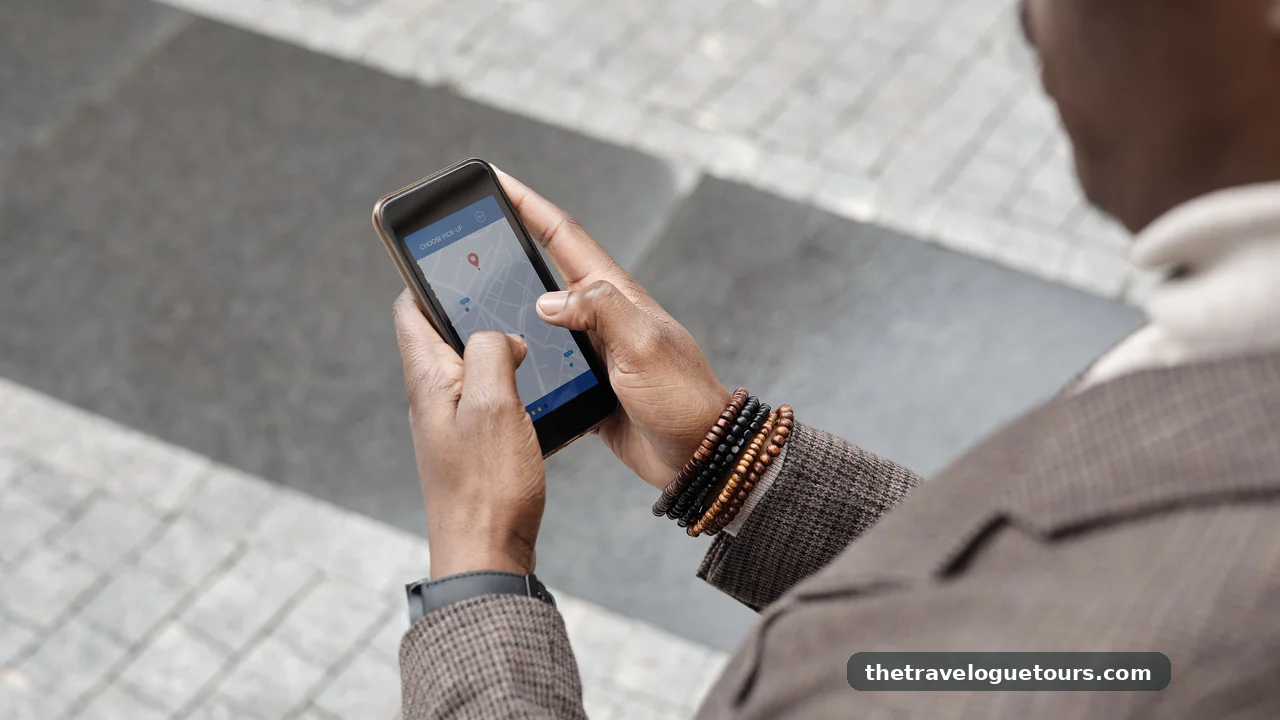
Your Phone Is Your Best Travel Companion
You have probably stood in an airport with a dying phone and 15 open tabs, trying to remember which app holds your boarding pass and which one converts the local currency. Travel used to mean a pocket full of paper. Now it means a pocket full of apps, and most of them are just clutter.
The good news is you do not need 20 apps. You need 7, each doing one job well. This is the exact toolkit a smart traveler installs before a trip, and the whole thing fits on a single phone screen.
Every app below is free to download and works on both iPhone and Android. Each one earns its place by saving you real time or real money, and for each one I will also name its main weakness so you are never caught off guard.
Find Your Way and Talk to Anyone
Google Maps
Google Maps is your compass, taxi negotiator, and restaurant finder in one. It tells you which metro exit to take, how long the walk really is, and whether that restaurant around the corner is worth the detour. Offline maps mean it keeps working in the subway or in rural areas with no signal at all.
Its one honest weakness is battery drain. Constant GPS use can eat a full charge in a few hours, so download your offline maps before you leave and carry a power bank for long sightseeing days.
Google Translate
Point your camera at a menu, a street sign, or a train timetable and Google Translate reads it back in your language instantly. The conversation mode lets you talk back and forth with someone who speaks no English at all. It even works offline if you download the language pack before your trip.
Camera translation still struggles with handwriting and stylized fonts, and the offline packs take up serious storage space. Delete the packs you are not using once the trip ends.
Book Flights and Stays
Skyscanner
Skyscanner searches nearly every airline and booking site at once, so you stop paying more than the person in the next seat. Its flexible date view shows the cheapest day to fly across a whole month, and the Everywhere search finds the cheapest destination from your home airport if your plans are open. For more tricks on timing your booking, read this guide to finding cheap last-minute flights.
Its honest weakness is that it sometimes routes you to third-party booking sites with sketchy cancellation policies. When the price is close, booking directly with the airline is usually worth it for the flexibility alone.
Booking.com
Booking.com holds the biggest hotel inventory on the planet, from hostels to 5-star resorts, and most rooms come with free cancellation. The review scores are genuinely useful because they come from verified guests only. Genius discounts kick in after a few stays and quietly shave 10 to 15 percent off.
During peak season the urgency messaging is designed to make you book faster than you should. Take a breath, compare the rate with the hotel’s own website, and then decide.
Money and Staying in Touch

XE Currency
XE Currency gives you live exchange rates in seconds, which matters when a vendor quotes a price in a currency you barely know. The offline mode keeps the last updated rates, so you are covered even without data. Pair it with a fee-free debit card and you stop losing money on every withdrawal, so here is how to avoid international ATM fees worldwide with the right card in your wallet.
The rates in XE are mid-market rates, and no bank or exchange booth will actually hand you that number. Treat the app as your truth meter, not as the price you will receive at the counter.
WhatsApp is the default messaging app in most of the world outside the United States and China. Hotels, tour guides, drivers, and hostels all expect you to message them on it. Voice notes and live location sharing solve more travel problems than any concierge desk ever could.
It only works over the internet, so on a long flight or in the mountains you are unreachable. Tell the people who matter how to reach you by plain SMS during those windows.
Stay Safe on Public WiFi
A VPN App
A VPN encrypts your connection on airport and hotel WiFi, where snooping is surprisingly common. Proton VPN has a solid free tier that covers basic browsing without asking for a credit card. Turn it on before you log into email or banking on any public network.
Free VPN servers are slow and often overloaded, and video streaming on them is painful. If you need real speed, a paid plan costs a few dollars a month and is worth it on a long trip.
Make These Apps Work When the Trip Gets Messy
Install everything and download all offline content before you leave home, not at the airport. Airport WiFi is slow, and hotel WiFi is worse. Grab your apps from the official Apple App Store so you never install a fake lookalike.
On Android, stick to the Google Play Store for exactly the same reason. Sideloaded files from random websites are how phones pick up malware right before a trip.
Turn on battery saver mode and download your offline maps, translation packs, and currency rates while you are still on home WiFi. Your phone will last dramatically longer, and you will not panic when the signal dies in the middle of nowhere.
A power bank, a universal adapter, and a short charging cable complete the toolkit. If you want the full list of gear that earns its space in a carry-on, this roundup of travel gadgets worth buying has you covered.
Frequently Asked Questions
Do I really need travel apps, or can I just use my browser?
A browser works in a pinch, but apps win on the road. Offline maps, camera translation, and saved bookings keep working without a connection, while browser tabs reload, eat data, and log you out at the worst moments.
Are these travel apps free?
All 7 are free to download and genuinely useful without paying. Premium tiers exist for Skyscanner price alerts, VPN speed, and hotel loyalty discounts, but the free versions cover everything a casual traveler needs.
How much phone storage do travel apps need?
The apps themselves are small, usually under 200 MB each. Offline maps and translation language packs are the storage hogs, sometimes several gigabytes, so download only the cities and languages that are actually on your itinerary.
Will these apps work without an internet connection?
Partly. Downloaded Google Maps, offline translation packs, and cached XE rates all work without data. Booking, flight search, and messaging need a connection, so load your offline content before you leave WiFi behind.
Are travel apps safe to use on public WiFi?
Mostly yes if you are careful. Turn on a VPN before logging into banking or email on airport or hotel networks, keep your apps updated, and download apps only from the official stores to avoid fakes and malware.
7 apps, one screen, zero paper. That is the whole point: travel lighter digitally and you will travel calmer in real life. Install them tonight, load your offline packs, and your next trip starts before you even leave the driveway.
The best travel tool is still the one you already own. These apps just make sure it finally acts like one.




2 Comments